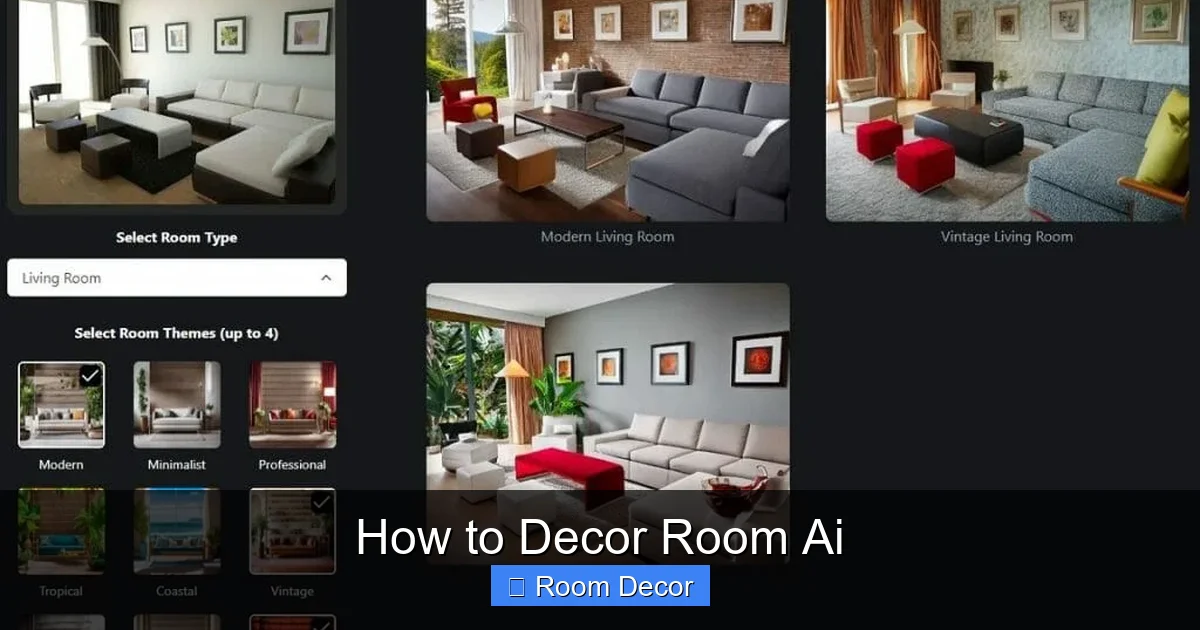
Transform your living space with the power of AI! This comprehensive guide, “How to Decor Room AI,” will walk you through using cutting-edge artificial intelligence tools to visualize your dream room before you even lift a paintbrush. Learn to generate design ideas, experiment with furniture layouts, and select the perfect color palettes, all with simple, step-by-step instructions. Unlock your inner designer and create a space you’ll love.
How to Decor Room AI
Are you dreaming of a home makeover but feeling overwhelmed by the endless design possibilities? Do you wish you could see how that bold new sofa would actually look in your living room, or what color paint would truly bring out your artwork? What if we told you that artificial intelligence (AI) can be your new best friend in the world of interior design? Welcome to the exciting realm of “How to Decor Room AI”!
In this comprehensive guide, we’re going to demystify how you can leverage the incredible power of AI to conceptualize, visualize, and plan your dream room decor. You’ll learn how to use AI tools to generate creative design ideas, experiment with different furniture arrangements, and even discover new color palettes. Whether you’re a seasoned decorator or a complete beginner, AI can help you bring your vision to life with unprecedented ease and accuracy. Get ready to unlock your creativity and transform your space like never before.
Key Takeaways
- Understand AI’s Role in Decor: AI tools act as powerful visualization and idea-generation assistants, not replacements for personal taste.
- Choose the Right AI Tool: Explore various AI-powered interior design platforms and generative art tools, considering features and ease of use.
- Define Your Style and Needs: Before using AI, clarify your aesthetic preferences, functional requirements, and budget for better results.
- Provide Clear Prompts: Learn to craft descriptive text prompts that guide the AI towards your desired room decor outcomes.
- Iterate and Refine: AI is a tool for exploration; be prepared to generate multiple options and tweak prompts to achieve your vision.
- Combine AI with Reality: Use AI visualizations as a blueprint, but remember to consider practical aspects like lighting, scale, and budget in real-world execution.
Section 1: Understanding the Role of AI in Room Decor
Before we dive into the “how-to,” it’s important to understand what AI can and cannot do when it comes to decorating your room. Think of AI as your super-powered design assistant. It excels at:
- Visualizing ideas: AI can take your descriptions and create realistic images of how a room could look.
- Generating inspiration: Stuck for ideas? AI can suggest styles, color schemes, and furniture combinations you might not have considered.
- Experimenting quickly: Want to see your room in a minimalist style one minute and a bohemian paradise the next? AI lets you do this without physically moving a single item.
- Optimizing layouts: Some AI tools can help you visualize different furniture arrangements to maximize space and functionality.
What AI *doesn’t* do is replace your personal taste and intuition. AI is a tool to *aid* your decision-making process, not to dictate it. Your comfort, your lifestyle, and what makes you happy are paramount. The AI-generated images are starting points, visualizations to help you refine your own ideas.
Section 2: Choosing the Right AI Decor Tool

Visual guide about How to Decor Room Ai
Image source: i.ytimg.com
The world of AI tools is rapidly expanding, and many are now geared towards interior design and visualization. Here are some popular categories and examples to consider:
2.1 Generative AI Image Platforms
These tools use text prompts to create images. They are incredibly versatile for brainstorming and visualizing specific aesthetics.
* Midjourney: Known for its artistic and often stunning outputs, Midjourney requires a Discord account and is a subscription-based service. It’s excellent for generating mood boards and stylistic inspiration.
* DALL-E 2 / DALL-E 3 (by OpenAI): Accessible through various platforms, DALL-E is user-friendly and great for creating a wide range of visual concepts. It allows for more direct interpretation of your text descriptions.
* Stable Diffusion: An open-source option that offers a lot of flexibility, though it can have a steeper learning curve. You can run it locally or use online interfaces.
2.2 Dedicated AI Interior Design Apps
These platforms are specifically built for room design and often offer more interactive features.
* Planner 5D: While not purely AI-driven in its core visualization, it often integrates AI features for suggestions and can render rooms with high realism. It allows you to build floor plans and furnish them.
* Homestyler: Similar to Planner 5D, Homestyler offers 2D and 3D room design capabilities and leverages AI for rendering and potentially for suggesting design elements.
* Decorilla (AI Features): While primarily a service connecting you with human designers, platforms like Decorilla are increasingly integrating AI tools to enhance the client experience, offering AI-powered mood boards or design concepts.
2.3 AI-Powered Room Visualizers (Often integrated into retailer sites)
Some furniture retailers are starting to integrate AI to let you see how their products would look in your own space. These are often more limited but can be very practical for specific purchases.
**Tip:** Start with free or trial versions if available to get a feel for different tools before committing to a subscription. For this guide, we’ll focus on using generative AI image platforms as they offer the most creative freedom for conceptualizing.
Section 3: Defining Your Room Decor Vision

Visual guide about How to Decor Room Ai
Image source: blog.pincel.app
Before you even type your first prompt into an AI tool, you need to have a clear idea of what you want. This is the most crucial step for getting useful results.
3.1 Identify Your Style
What aesthetic appeals to you? Think about keywords that describe your desired look:
* Modern: Clean lines, minimalist, neutral colors, sleek materials.
* Traditional: Classic furniture, ornate details, warm colors, rich textures.
* Bohemian (Boho): Eclectic, free-spirited, natural materials, vibrant colors, plants.
* Industrial: Exposed brick, metal accents, raw materials, utilitarian feel.
* Scandinavian: Light woods, functional design, neutral palettes, cozy textiles.
* Coastal: Light blues, whites, natural textures, airy feel.
* Mid-Century Modern: Organic shapes, retro vibes, wood tones, pops of color.
Browse Pinterest, Instagram, or interior design magazines to gather inspiration and identify recurring themes. Save images that resonate with you.
3.2 Consider the Room’s Functionality
What will you be doing in this room?
* **Living Room:** Relaxing, entertaining guests, watching TV, reading.
* **Bedroom:** Sleeping, dressing, relaxing, perhaps working.
* **Home Office:** Focused work, video calls, storage.
* **Dining Room:** Eating, hosting dinner parties.
Functionality will influence furniture choices, layout, and even color palettes (e.g., calming colors for a bedroom, energetic for a home office).
3.3 Note Key Existing Elements
Do you have any existing furniture, artwork, or architectural features you want to incorporate or work around? Mention these in your descriptions.
3.4 Set a (Loose) Budget
While AI can’t directly factor in your budget for every single item, having a general price range in mind will help you steer your AI visualizations towards more realistic outcomes. For example, if you’re on a tight budget, you might aim for “affordable modern decor” rather than “luxury designer furniture.”
Section 4: Crafting Effective AI Prompts
Visual guide about How to Decor Room Ai
Image source: cdn.apartmenttherapy.info
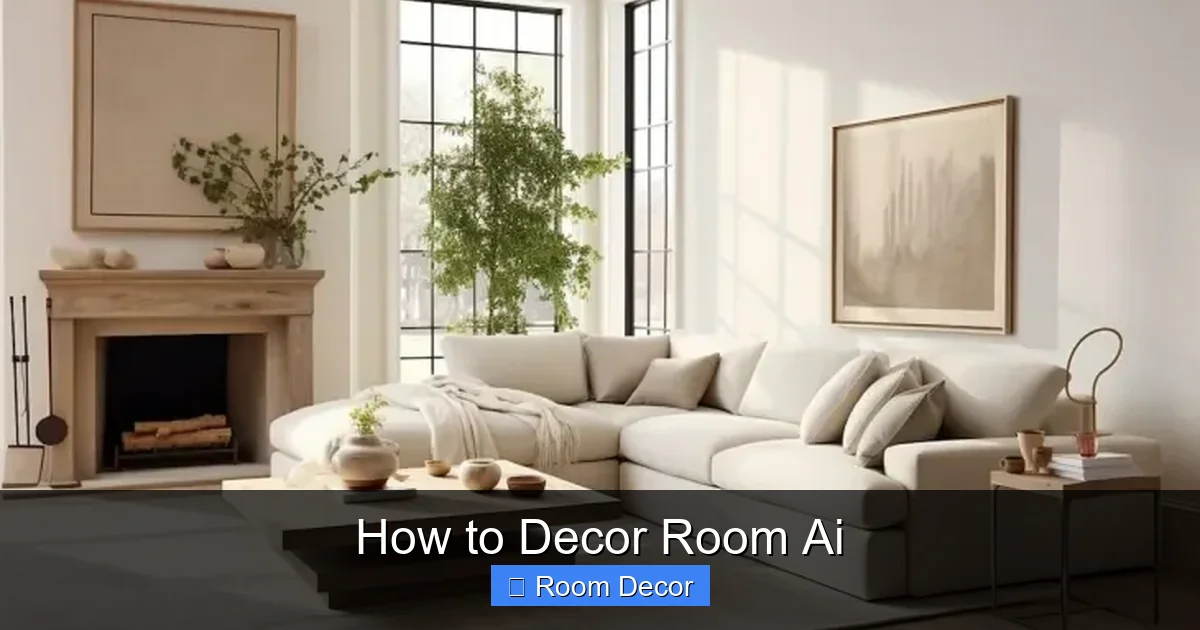
This is where the magic happens! A well-crafted prompt is key to getting the AI to generate images that align with your vision.
4.1 The Anatomy of a Good Prompt
Think of your prompt as giving instructions to a visual artist. The more detailed and specific you are, the better the result. A good prompt typically includes:
* **Subject:** What you want to see (e.g., “a living room”).
* Style: The aesthetic you’re aiming for (e.g., “modern minimalist”).
* Key Features/Elements: Specific furniture, colors, materials, lighting, or decor items (e.g., “with a grey sectional sofa, a large abstract painting, and a marble coffee table”).
* Atmosphere/Mood: The feeling you want the room to evoke (e.g., “cozy and inviting,” “sleek and sophisticated,” “bright and airy”).
* Camera Angle/Perspective (Optional but helpful): (e.g., “wide-angle shot,” “eye-level view”).
* Quality/Artistic Style (Optional): (e.g., “photorealistic,” “cinematic lighting,” “rendered in Unreal Engine”).
4.2 Step-by-Step Prompt Creation with Examples
Let’s walk through creating prompts for a living room makeover.
Step 4.2.1: Start with the Basics
Imagine you want to redecorate your living room in a bohemian style.
Prompt 1 (Basic):
“A bohemian living room.”
* *Result:* This might give you a very generic idea, likely with some plants and maybe some woven textures, but it lacks specificity.
Step 4.2.2: Add Style and Key Furniture
Now, let’s get more specific about the style and add key furniture pieces.
Prompt 2 (Adding Style & Furniture):
“A cozy bohemian living room with a deep green velvet sofa, a macrame wall hanging, and an abundance of houseplants. Natural light flooding in.”
* *Result:* This will likely give you an image that better captures the boho vibe with specific items. The “natural light flooding in” adds to the atmosphere.
Step 4.2.3: Incorporate Colors and Materials
Let’s refine the color palette and material choices.
Prompt 3 (Adding Colors & Materials):
“A bohemian living room, featuring a deep forest green velvet sectional sofa, a large macrame wall hanging with wooden beads, a rattan accent chair, and a distressed wood coffee table. Filled with various potted plants, including a monstera and a fiddle-leaf fig. Warm, earthy tones, with pops of terracotta and burnt orange in cushions. Natural light from a large window. Photorealistic.”
* *Result:* You’re now getting much closer to a specific vision. The AI understands the desired color scheme, materials, and even the types of plants. “Photorealistic” aims for a lifelike image.
Step 4.2.4: Experiment with Mood and Layout
Consider the overall feeling and how furniture is arranged.
Prompt 4 (Focusing on Mood & Layout):
“A serene and airy bohemian living room. A low-profile, L-shaped cream linen sofa is the focal point, complemented by a jute rug. A large, abstract macrame piece hangs above the sofa. Scattered vintage Persian rugs add warmth. A large, leafy ficus tree stands in the corner. Soft, diffused natural light. Wide-angle shot, showing a reading nook with an accent chair and a floor lamp.”
* *Result:* This prompt emphasizes a specific mood (“serene and airy”) and suggests a particular layout with a reading nook. The “low-profile, L-shaped” sofa is a more precise furniture description.
4.3 Advanced Prompting Techniques
* Negative Prompts (if supported): Some AI tools allow you to specify what you *don’t* want (e.g., “–no plastic furniture”).
* Aspect Ratios: Many tools allow you to specify the image’s dimensions, which can be useful for imagining how art would fit on a wall or how a sofa would look in a specific space.
* “In the style of…” You can sometimes guide the AI by referencing specific artists or photographers (e.g., “a room design in the style of Architectural Digest”). Use this sparingly to avoid overpowering your core request.
**Practice is key!** Don’t be afraid to experiment with different wording and combinations.
Section 5: Iterating and Refining Your AI Designs
Rarely will your first AI-generated image be perfect. The real power of AI for decor lies in its iterative nature.
5.1 Generating Multiple Variations
Most AI image generators will produce several variations of your prompt. Review these carefully.
* Which ones are closest to your vision?
* What elements do you like in one variation that are missing in another?
5.2 Tweaking Prompts Based on Results
If the AI missed the mark, don’t get discouraged. Adjust your prompt based on what you saw.
* Too much clutter? Add “minimalist” or “decluttered” to your prompt.
* Wrong color? Be more specific with your color descriptions (e.g., “navy blue” instead of just “blue”).
* Furniture looks odd? Try describing the furniture more precisely or looking for AI models that handle furniture better.
* Not enough light? Reinforce “bright natural light,” “airy,” or add specific lighting elements like “sunbeams.”
5.3 Using AI as a Brainstorming Partner
If you’re completely stuck, try generating a few very broad prompts to see what kind of unexpected ideas the AI throws at you. You might discover a style or color combination you never would have considered.
**Example:**
Prompt: “Eclectic living room decor, surprise me.”
This can sometimes lead to truly unique and inspiring suggestions.
Section 6: Bringing Your AI Vision to Life (Reality Check!)
The AI-generated images are fantastic for visualization, but they are just that – visualizations. Here’s how to bridge the gap between the digital and the real.
6.1 Practical Considerations
* Scale and Proportion: AI images can sometimes be misleading about the actual size of furniture. Always measure your space and compare it to the dimensions of furniture you plan to buy.
* Lighting: AI can simulate lighting, but real-world lighting is complex. Consider overhead lights, task lighting, and accent lighting. Natural light sources in your home are also unique.
* Materials and Texture: While AI can depict textures, the feel and quality of real materials (velvet, wood grain, metal finishes) are crucial for the overall ambiance.
* Budget: AI doesn’t know your budget. You’ll need to find items that match your AI-inspired design but fit within your financial constraints. This might involve sourcing from different retailers or looking for DIY solutions.
* **Your Lifestyle:** Does the AI-generated room work for *you*? If the AI shows a pristine white rug and you have pets and young children, you might need to adapt the design for practicality.
6.2 Creating a Shopping List and Mood Board
Use your favorite AI-generated images as the basis for a physical or digital mood board. Then, start creating a shopping list of key items that will help you achieve the look. Look for similar furniture styles, color palettes, and decor elements from actual retailers.
6.3 Phased Decorating
You don’t have to do it all at once. Use your AI visualizations to guide your decorating efforts over time. Prioritize larger items like sofas and paint colors, then gradually add accessories.
Section 7: Troubleshooting Common AI Decor Issues
* AI Creates Unrealistic Furniture: Try being more specific with furniture descriptions (e.g., “a mid-century modern armchair with tapered wooden legs”). Sometimes, AI struggles with complex or unusual furniture designs.
* Images Are Too Generic: Add more specific details about colors, materials, and decorative objects. Mention specific types of plants, art styles, or textiles.
* The “AI Look”: If your images feel a bit too perfect or sterile, try adding terms like “lived-in,” “cozy,” “vintage elements,” or “worn textures” to your prompt.
* Inconsistent Results: AI can be unpredictable. If you get a great result, save it! If you’re consistently getting poor results, try a different AI tool or re-evaluate your prompt for clarity.
* AI Doesn’t Understand Your Room Shape: If you’re trying to depict a specific room shape (e.g., a long, narrow room), include that in your prompt: “a long, narrow living room with furniture arranged to create distinct zones.”
Conclusion
Decorating your room has never been more exciting or accessible. By harnessing the power of AI, you can move beyond abstract ideas and into concrete, visually stunning realities. The process of using AI for room decor is an iterative journey of inspiration, creation, and refinement.
Remember, AI is your canvas and your creative partner. It empowers you to experiment without consequence, to explore styles you might have overlooked, and to visualize your dream space with remarkable clarity. So, pick a tool, define your vision, craft those prompts, and prepare to be amazed by the beautiful rooms you can design. Happy decorating!