
Discover how to effortlessly decorate your room using the power of Artificial Intelligence. This guide will walk you through leveraging AI tools to generate unique design concepts, visualize your space, and find the perfect decor items, making room makeovers simpler and more inspired than ever before.
- Understand AI’s Role in Decor: AI can act as your personal interior design assistant, generating creative ideas and visualizations you might not have considered.
- Brainstorming Design Styles: Utilize AI to explore various aesthetic themes, from minimalist to bohemian, helping you pinpoint your desired room vibe.
- Visualizing Your Space: AI tools can help you see how different furniture, colors, and decor pieces will look in your actual room before you buy anything.
- Personalized Decor Recommendations: AI can suggest specific items, like artwork or textiles, tailored to your style preferences and existing decor.
- Overcoming Design Block: If you’re stuck on how to arrange furniture or choose accent pieces, AI can provide a wealth of fresh perspectives.
- Budget-Friendly Inspiration: Many AI tools offer free trials or are accessible without significant investment, making decor inspiration accessible to everyone.
How to Decorate Your Room with AI
Are you dreaming of a room makeover but feeling overwhelmed by the endless design possibilities? Do you stare at blank walls and wonder where to even begin? What if I told you that you have a powerful, creative assistant at your fingertips, ready to help you transform your space? Welcome to the exciting world of decorating your room with AI!
Artificial Intelligence is no longer just for sci-fi movies. It’s rapidly changing how we approach everything, and interior design is no exception. AI can be your personal design guru, offering a fresh perspective, boundless creativity, and practical solutions to make your decorating journey smoother and more enjoyable.
In this comprehensive guide, you’ll learn exactly how to harness the power of AI to:
- Generate unique and personalized design concepts for any room.
- Create mood boards that capture your desired aesthetic.
- Visualize how different furniture and decor will look in your space.
- Discover the perfect decor items tailored to your taste and budget.
- Overcome common design challenges and creative blocks.
Get ready to unlock your room’s full potential with a little help from your new AI design partner!
Step 1: Define Your Vision and Goals
Before you dive into AI tools, it’s crucial to have a general idea of what you want to achieve. Think about the purpose of the room, your lifestyle, and the overall feeling you want to evoke. AI can help refine these ideas, but a starting point is essential.

Visual guide about How to Decorate Your Room with Ai
Image source: blog.pincel.app
What is the Room’s Primary Function?
Is it a cozy bedroom for relaxation, a functional home office, a vibrant living room for entertaining, or a creative studio? Understanding the main purpose will guide your design choices. For instance, a bedroom might prioritize comfort and calm, while a home office needs to be conducive to focus and productivity.
What’s Your Personal Style?
Are you drawn to modern minimalism, rustic charm, bohemian free spirit, or classic elegance? You don’t need to have every detail figured out, but a general sense of your preferred aesthetic will help AI generate more relevant suggestions. Think about colors, textures, and the types of furniture you gravitate towards.
What’s Your Budget?
AI can help you find beautiful items, but knowing your budget beforehand will prevent disappointment. Some AI tools can even help you find affordable alternatives to high-end looks.
Step 2: Choose Your AI Design Tools
The landscape of AI design tools is constantly evolving. For room decoration, we’ll focus on tools that can generate visual concepts, suggest items, and help with space planning. Here are a few categories and popular examples:

Visual guide about How to Decorate Your Room with Ai
Image source: plugins-media.makeupar.com
AI Image Generators for Inspiration
These tools are fantastic for generating visual ideas based on text prompts. You can describe a room, a style, or a mood, and AI will create unique images.
- Midjourney: Known for its artistic and often stunning image output. Requires a Discord account.
- DALL-E 3 (via ChatGPT Plus or Bing Image Creator): Excellent at understanding complex prompts and generating coherent images. Bing Image Creator is free.
- Stable Diffusion: An open-source option with a lot of flexibility for those who want more control, though it can have a steeper learning curve.
AI-Powered Interior Design Platforms
These platforms often combine visualization tools with AI-driven suggestions for furniture and decor.
- Homestyler: Allows you to upload a photo of your room and redesign it virtually, with AI suggestions for furniture and decor.
- DecorMatters: Offers augmented reality features to see how furniture looks in your space, along with AI styling tips.
- Planner 5D: A popular room planner that integrates AI features to help with design suggestions and item placement.
AI Chatbots for Brainstorming and Advice
General AI chatbots can be invaluable for bouncing ideas around, asking for specific advice, and getting explanations about design principles.
- ChatGPT (OpenAI): Excellent for generating text-based ideas, describing styles, and asking “what if” questions about your decor.
- Google Gemini: Similar to ChatGPT, it can help brainstorm ideas, provide advice, and explain design concepts.
Step 3: Generate Design Concepts with AI Image Generators
This is where the magic truly begins! Using AI image generators, you can bring your wildest design dreams to life without lifting a paintbrush.
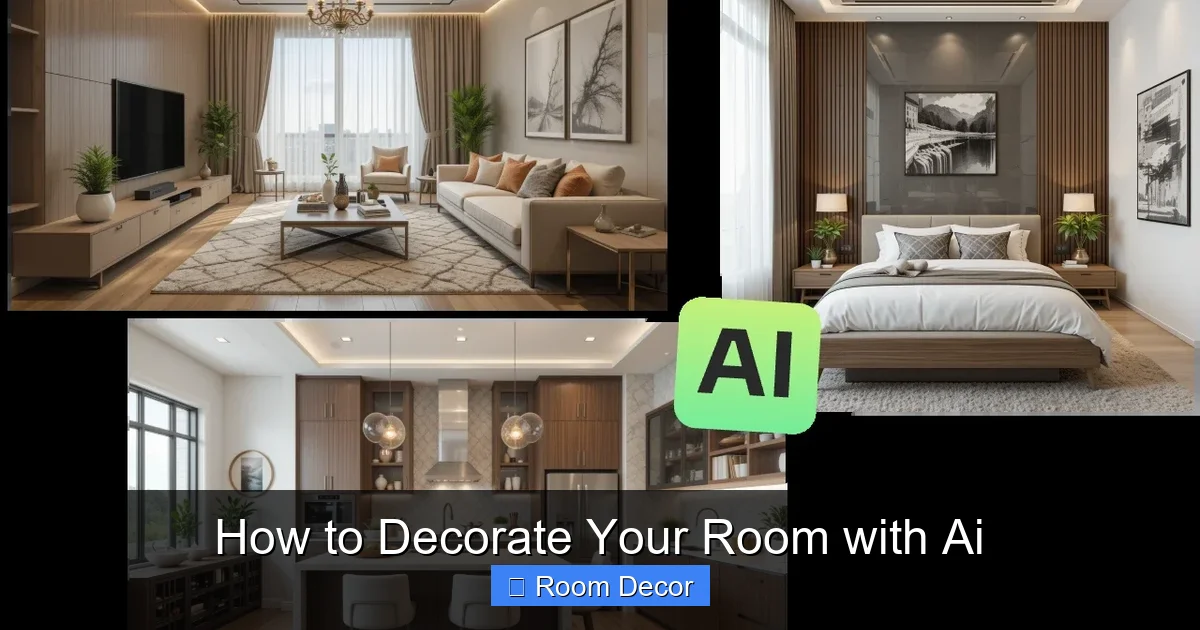
Visual guide about How to Decorate Your Room with Ai
Image source: aiease.ai
Crafting Effective Prompts
The key to getting great results from AI image generators is to write clear, descriptive prompts. Think about:
- The Room: “A cozy living room,” “a minimalist bedroom,” “a vibrant home office.”
- The Style: “Scandinavian,” “mid-century modern,” “bohemian,” “industrial,” “art deco.”
- Key Elements: “with a large bay window,” “featuring a plush velvet sofa,” “adorned with hanging plants,” “with a statement fireplace.”
- Color Palette: “in shades of sage green and cream,” “with bold primary colors,” “monochromatic blue.”
- Lighting: “with warm, ambient lighting,” “bright and airy,” “dramatic shadows.”
- Mood/Atmosphere: “peaceful and serene,” “energetic and playful,” “sophisticated and luxurious.”
Example Prompts:
- “A serene master bedroom in a modern farmhouse style, with a king-sized bed, shiplap accent wall, soft linen bedding in natural tones, and large windows letting in natural light. –ar 16:9“
- “A creative home office designed in an eclectic, bohemian style. Include a vintage wooden desk, colorful rugs, an abundance of plants, quirky artwork on the walls, and comfortable seating. Use warm, earthy colors. –ar 3:2“
- “A minimalist living room with clean lines and a neutral color palette. Feature a low-profile sofa, a sleek entertainment unit, a single abstract art piece, and subtle ambient lighting. –v 5.2“
(Note: Parameters like `–ar` for aspect ratio and `–v` for version are specific to certain AI generators like Midjourney and may vary.)
Iterating and Refining
Don’t expect perfection on the first try! AI is a tool for exploration. Look at the images generated. What do you like? What don’t you like? Use these observations to refine your prompts. If an image is too cluttered, add “decluttered” or “spacious” to your prompt. If the colors aren’t right, be more specific about your desired palette.
Tip: Save the images that capture elements you love. You can even describe these elements in your next prompt to guide the AI further. For example, if you like the wall color in one image, you can say, “Generate a similar living room but with the wall color from the previous image.”
Step 4: Create Mood Boards with AI
Mood boards are visual representations of your design ideas, helping you solidify a style and color scheme. AI can help you build these quickly and efficiently.
Using AI for Mood Board Elements
Once you have some design concepts from AI image generators, you can use them as inspiration for creating your mood board.
- Generate Specific Elements: If you love the couch from an AI image, you can try prompting the AI to generate just that type of couch in different colors or textures. For example: “A mid-century modern channel-tufted sofa in emerald green velvet.”
- Find Complementary Textures and Patterns: Ask the AI to generate images of abstract patterns or textures that would complement your chosen style. “Abstract geometric pattern in navy blue and gold,” or “close-up of natural linen fabric texture.”
- Gather Color Palettes: You can ask AI to extract a color palette from an image you like, or to generate images based on a specific color scheme. “Generate an image of a color palette with deep teal, burnt orange, and beige.”
Assembling Your Mood Board
There are several ways to assemble your AI-generated elements:
- Digital Tools: Use platforms like Canva, Pinterest (you can save AI-generated images directly), or even simple presentation software.
- Physical Mood Boards: Print out your favorite AI-generated images, fabric swatches, and color chips to create a tactile representation of your design.
Practical Tip: When creating your mood board, aim for a cohesive look. Ensure the colors, textures, and styles of the individual elements work harmoniously together.
Step 5: Visualize Your Room with AI-Powered Planners
Seeing is believing! AI-powered interior design platforms allow you to virtually place furniture and decor into your actual room space.
Uploading Your Room Photos
Most of these platforms allow you to upload a photograph of your room. The AI then often uses this as a base to let you experiment with different layouts and decor.
Using Virtual Staging and AR
- Virtual Staging: Some AI tools can automatically “stage” an empty room photo with suggested furniture and decor based on your chosen style.
- Augmented Reality (AR): Tools like DecorMatters use your phone’s camera to place virtual furniture and decor items in your real room. This is incredibly useful for seeing how scale and placement look.
Experimenting with Furniture and Layout
This is the most practical stage for decision-making. You can drag and drop virtual furniture items, change their colors, swap out artwork, and rearrange layouts to see what works best for functionality and aesthetics. AI can often suggest optimized furniture arrangements based on room dimensions and your stated needs.
Example Scenario: You love a particular sofa from an AI image generator. You can then search for similar sofas within an AI interior design platform and virtually place it in your living room to see if it fits the space and complements your existing furniture.
Step 6: Get Personalized Decor Recommendations
Beyond broad design concepts, AI can help you find specific items that perfectly fit your evolving vision.
AI for Shopping Assistance
Some AI tools integrate with online retailers or have their own curated selections. Based on your mood board, style preferences, and even images of your room, these AI can suggest:
- Specific pieces of furniture
- Wall art and decor accents
- Rugs, curtains, and lighting fixtures
- Paint color suggestions
Using AI Chatbots for Specific Item Searches
Don’t underestimate the power of a good chatbot! You can ask them things like:
- “Find me a modern, round coffee table with a marble top under $500.”
- “Suggest some abstract wall art that would complement a room with navy blue walls and gold accents.”
- “What kind of plants do well in low-light conditions and would look good in a Scandinavian-style bedroom?”
Pro Tip: Always cross-reference AI recommendations with user reviews and product details from actual retailers to ensure quality and suitability.
Step 7: Troubleshooting and Common Challenges
Even with AI, decorating can have its hiccups. Here are some common issues and how to address them:
Challenge: AI Generates Unrealistic or Bizarre Images
Solution: This often happens when prompts are too vague or contradictory. Refine your prompts with more specific keywords. Break down complex ideas into smaller, more manageable prompts. Ensure you’re using a reputable AI generator.
Challenge: The AI Doesn’t Understand Your Style
Solution: Be more explicit about your style. Instead of “modern,” try “mid-century modern with clean lines and natural wood accents.” Provide visual cues by describing elements from styles you like. You might need to generate more variations and select the best ones to guide future generations.
Challenge: Virtual Furniture Doesn’t Look Right in Your Room
Solution: Ensure the AI platform has accurate room dimensions. Pay attention to scale – is the virtual sofa too big or too small for your actual space? AR tools are best for this. Sometimes, it’s about the lighting in the virtual rendering not matching your room’s lighting.
Challenge: Overwhelmed by Too Many AI Suggestions
Solution: This is a good problem to have! Go back to Step 1. Revisit your core vision and goals. Use your mood board as a filter. If a suggestion doesn’t align with your mood board, it’s probably not the right fit, no matter how interesting it is.
Challenge: AI Recommendations Are Out of Budget
Solution: Be explicit about your budget in your prompts when asking for item recommendations. If an AI suggests a high-end item, ask it for “affordable alternatives” or “similar styles within a $X budget.”
Conclusion
Decorating your room has never been more exciting or accessible. By embracing Artificial Intelligence, you’re not just decorating; you’re collaborating with a powerful creative partner. AI image generators can spark your imagination, AI design platforms can help you visualize your space, and AI chatbots can offer personalized advice.
Remember, AI is a tool to enhance your creativity, not replace it. Use it to explore, experiment, and discover possibilities you might not have found on your own. So, go ahead, unleash your inner designer with the help of AI, and create a space that truly reflects you.