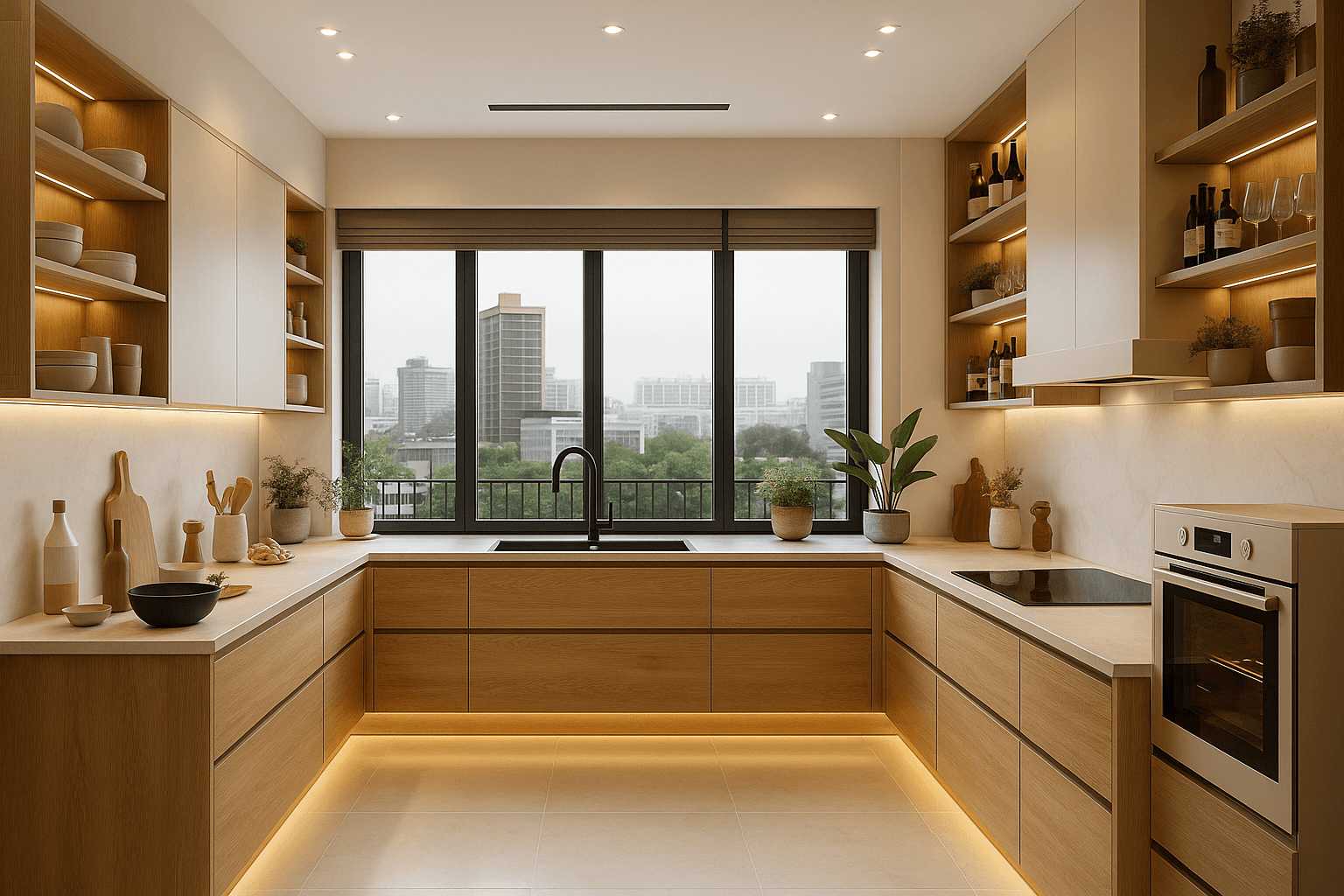
To see your new kitchen come to life before breaking ground, start by creating a digital or physical layout of your space. Use design apps, 3D modeling software, or simple paper sketches to experiment with different arrangements. Visualizing your layout ahead of time helps you spot potential issues, optimize workflow, and make informed decisions, saving time and money during renovation.
Planning a kitchen renovation can feel overwhelming, but visualizing your new layout is a game-changer. It allows you to see how your ideas translate into reality, helping you avoid costly mistakes and achieve a space that’s both functional and stylish. With today’s technology, creating realistic previews is easier than ever, enabling you to preview different designs, textures, and furniture placements before making final decisions. This process ensures your dream kitchen matches your expectations and needs perfectly.

How to visualize your kitchen layout before renovation
Planning a kitchen renovation can feel overwhelming, especially when imagining how your new space will look. Visualizing your kitchen layout beforehand helps you make better decisions and avoid costly mistakes. It allows you to see how all elements will come together before actual work begins. There are many effective ways to picture your future kitchen, whether through simple sketches or advanced digital tools. This section will guide you step-by-step on how to visualize your kitchen layout effectively.
Understanding Your Space and Needs
Before you start visualizing, take a good look at your current kitchen. Measure the room carefully, noting the size and position of doors, windows, and existing fixtures. Write down what you want to change or keep. Consider your daily routines, storage needs, and preferred cooking style to create a clear picture of what the new kitchen must include.
Measure Your Kitchen Accurately
Use a tape measure to record the length and width of your space. Note down the height of ceilings. Measure the distance between walls, doorways, and windows. Remember to record the location of electrical outlets, plumbing, and ventilation systems. Accurate measurements help create realistic visualizations and prevent surprises during installation.
Identify Your Must-Have Features
Write a list of features you want in your new kitchen. Think about appliances, storage solutions, and specific layouts. Do you want an island or a breakfast nook? Are you aiming for a minimalist look or a cozy, traditional style? Clarifying these points helps focus your visualization process.
Creating a Basic Sketch of Your Kitchen Layout
Once you understand your space and needs, draw a simple sketch of your kitchen. This doesn’t need to be perfect—just a rough outline. Mark the locations of major elements like the refrigerator, stove, sink, and countertops.
Start with a Floor Plan
Use graph paper or digital drawing tools to create a floor plan. Keep scale in mind, so your drawing reflects actual room dimensions. This helps you experiment with different arrangements of appliances and furniture.
Arrange Key Elements
Place the major appliances and fixtures on the floor plan. Play around with different positions to see what feels most functional. Remember, the goal is to ensure smooth workflow, often called the kitchen work triangle—connecting the stove, sink, and refrigerator.
Utilize Digital Visualization Tools
Traditional sketches are helpful, but digital tools can offer a more realistic view. They enable you to see how your choices look in a 3D environment. These tools are accessible and user-friendly, even for beginners.
Kitchen Design Software Options
Popular programs include SketchUp, Roomstyler 3D, and IKEA Home Planner. Many apps are free or have free trial versions. Choose one that is easy to use and offers enough customization.
Creating a 3D Model of Your Kitchen
Input your room dimensions into the software. Add walls, windows, and doors. Insert appliances and cabinets based on your wishlist. Explore different styles, colors, and materials to see what fits best.
Visualizing Different Layouts
Experiment with various configurations. Swap the positions of appliances or change cabinet styles. This helps you compare options quickly and choose the layout that looks and works best.
Using Augmented Reality for Real-Life Visualization
Augmented reality (AR) apps enable you to see how new furniture and fixtures will look in your current space. This interactive approach provides a realistic preview before making any commitments.
AR Apps for Kitchen Design
Apps like Houzz, IKEA Place, and Wayfair AR let you place virtual furniture in your actual kitchen environment. Simply scan your space and add items to see how they will fit.
Benefits of AR Visualization
AR helps you get a feel for scale, colors, and styles. It minimizes guesswork and makes it easier to narrow down your choices. You can even share AR views with contractors or designers for feedback.
Choosing Materials and Colors Visually
Seeing your options in a realistic way makes it easier to select materials and color schemes. Visualizations help you match cabinets, countertops, backsplashes, and flooring.
Sample Boards and Mood Boards
Create digital or physical boards with material samples, color swatches, and style inspirations. This helps you see how different elements work together cohesively.
Realistic Rendering of Materials
Use digital tools that offer texture and material rendering. This gives you a clear idea of how different finishes, such as matte or glossy, will look in your space.
Mockups and Physical Models
For a more tactile approach, consider building small-scale models or using cardboard cutouts. These methods help you sense the space physically.
Building a Scale Model
Use foam boards or cardboard to create a miniature version of your kitchen. Arrange furniture and appliances to get a better sense of flow and space usage.
Advantages of Physical Mockups
Handling a physical model helps you understand spatial relationships better. It’s also a fun way to explore different layout ideas with family or friends.
Involving Professionals for Expert Visualization
Professional designers and architects can provide high-quality renderings and virtual tours. Their expertise ensures that your ideas are feasible and optimized.
Working with a Kitchen Designer
Share your sketches, ideas, and preferences. Ask them to create detailed visual plans. Their experience can help highlight potential issues and suggest improvements.
Benefits of Professional Visualization
Professional tools yield highly realistic images and walkthroughs. They assist in budgeting and selecting the best options for style, functionality, and safety.
Final Tips for Effective Kitchen Visualization
To make the most of your visualization process, gather inspiration from magazines, websites, and showrooms. Keep an open mind and be ready to adapt your ideas based on what you find.
Stay Organized
Maintain records of your measurements, sketches, and digital files. This makes it easier to compare options and communicate clearly with contractors.
Prioritize Functionality
Ensure your layout promotes easy movement and access. Avoid clutter and awkward corners that can hinder daily activities.
Think About Future Needs
Visualize how your new kitchen can adapt as your lifestyle changes—more storage, accessibility features, or space for entertaining.
By employing these visualization strategies, you gain a clear picture of your dream kitchen before the renovation begins. This helps you make informed choices, stay within budget, and ultimately enjoy a space that works perfectly for you.
20 Kitchen Design Tips In 10 Minutes ⏱️
Frequently Asked Questions
What tools can help me create a realistic layout of my kitchen renovation?
Using digital design software or kitchen planning apps allows you to build accurate representations of your space. Tools like SketchUp, HomeByMe, or IKEA’s kitchen planner let you input your measurements, experiment with different configurations, and visualize how appliances and cabinets will fit. These tools often offer 3D views, helping you understand how your new layout will look from various angles.
How can I incorporate lighting and electrical placements into my visualization?
When planning your kitchen layout, include detailed placements of electrical outlets, switches, and lighting fixtures. Use layered drawings or software that allows you to add these elements to your plan. Visualizing the location of lighting can help you assess how natural and artificial light will illuminate your space, ensuring both functionality and ambiance are achieved after renovation.
What should I consider when visualizing different cabinet and countertop arrangements?
Experiment with various cabinet sizes, styles, and countertop materials in your plan to see how they influence space flow and usability. Pay attention to clearance distances around appliances and between work zones. Visualizing these options helps you choose arrangements that optimize both aesthetics and practicality, ensuring your kitchen feels spacious and efficient.
How can I use physical models or sketches to improve my visualization process?
Creating scale models with cardboard or foam board provides a tangible sense of space and proportion. Sketching floor plans and elevations on paper also helps you understand the spatial relationships between elements. These methods often reveal issues that digital tools might overlook, allowing you to refine your design before starting renovations.
What are the benefits of visualizing my kitchen layout in 3D before renovation?
Viewing your design in 3D helps you see how different elements work together in a realistic setting. It allows you to identify potential problems, such as space constraints or awkward layouts, early in the planning process. This visualization encourages better decision-making and increases your confidence in the final design, reducing the likelihood of costly mistakes during renovation.
Final Thoughts
How to visualize your kitchen layout before renovation is essential for a successful upgrade. Start by sketching a basic plan or using digital tools to see your space clearly. Use 3D models or virtual room planners to get a realistic view of how everything fits. This approach helps you make informed decisions and ensures the final result meets your expectations.